Using the Advanced Modifier
Warning
This tutorial requires a fair bit of knowledge on how Gaea and modifiers work.
The good ol' modifiers not meeting your needs? Don't fret! AdvancedModifier2D/3D is a modular modifier which will supercharge your generation.
Conditions
The main bulk of this modifier are conditions. It holds an ordered list of conditions that all have to be met for it to place the chosen TileInfo in the target cell. As of July 28 2024, there are 3 conditions you can use:
ChanceCondition
Pretty self explanatory, it will only be met chance% of times.
NoiseCondition
It will only be met where the noise value is between min and max.
OffsetCondition
It will only be met if any tile at offset in any layers has an id listed in ids.
Example
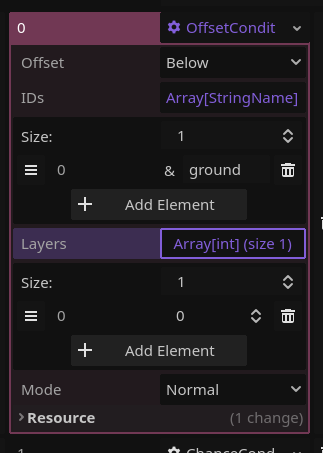
In this example, the condition is only met if any tiles at layer 0 below the cell it's trying to modify have an id of "ground".
Use Examples
Vegetation
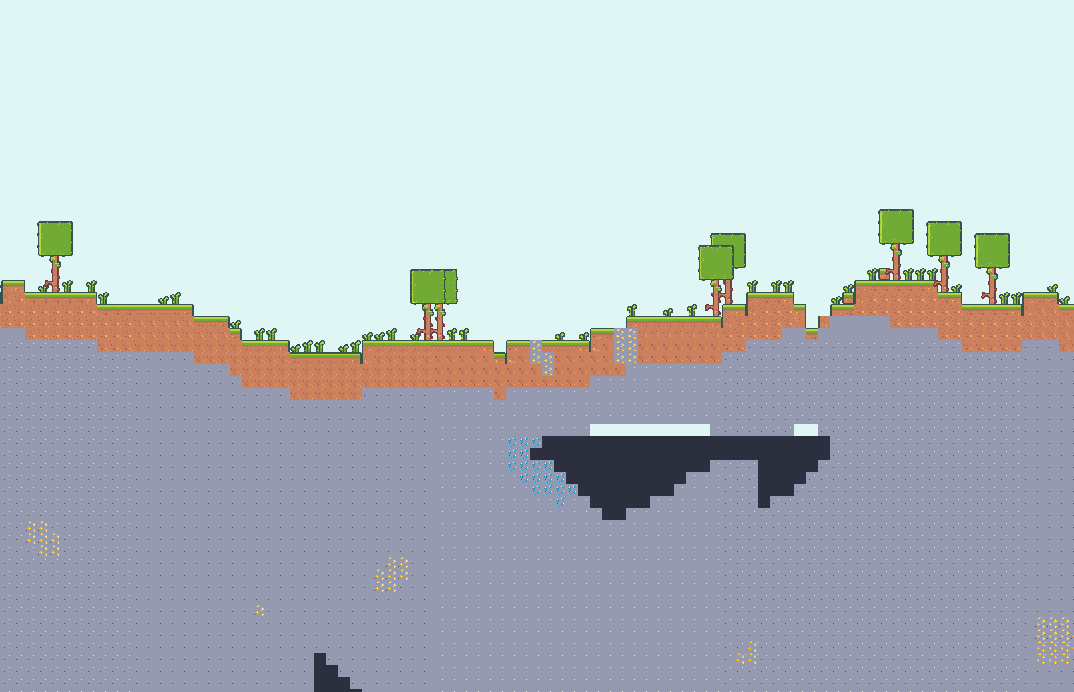
In this example, it's used to place vegetation on top of a HeightmapGenerator2D's generation.
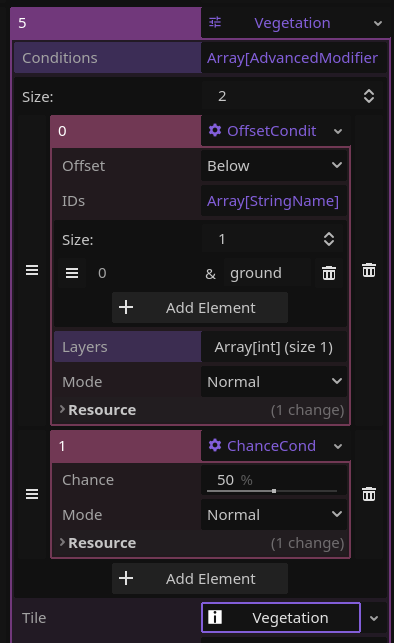
In the setup, you can see it's checking for a ground tile below it and it will only place it 50% of the time. Then the RandomTileInfo chooses between grass, tall grass and a tree. It's also worth noting that the modifier's filter_type is set to ONLY_EMPTY_CELLS, meaning it will only attempt this in "air" tiles.
Torches
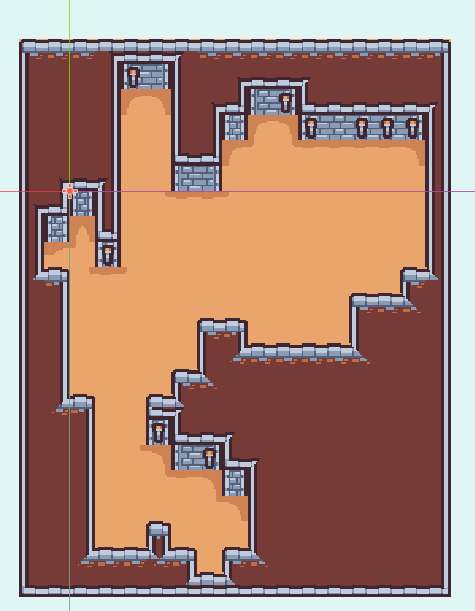
In this other example, it's used to place torches in a dungeon.
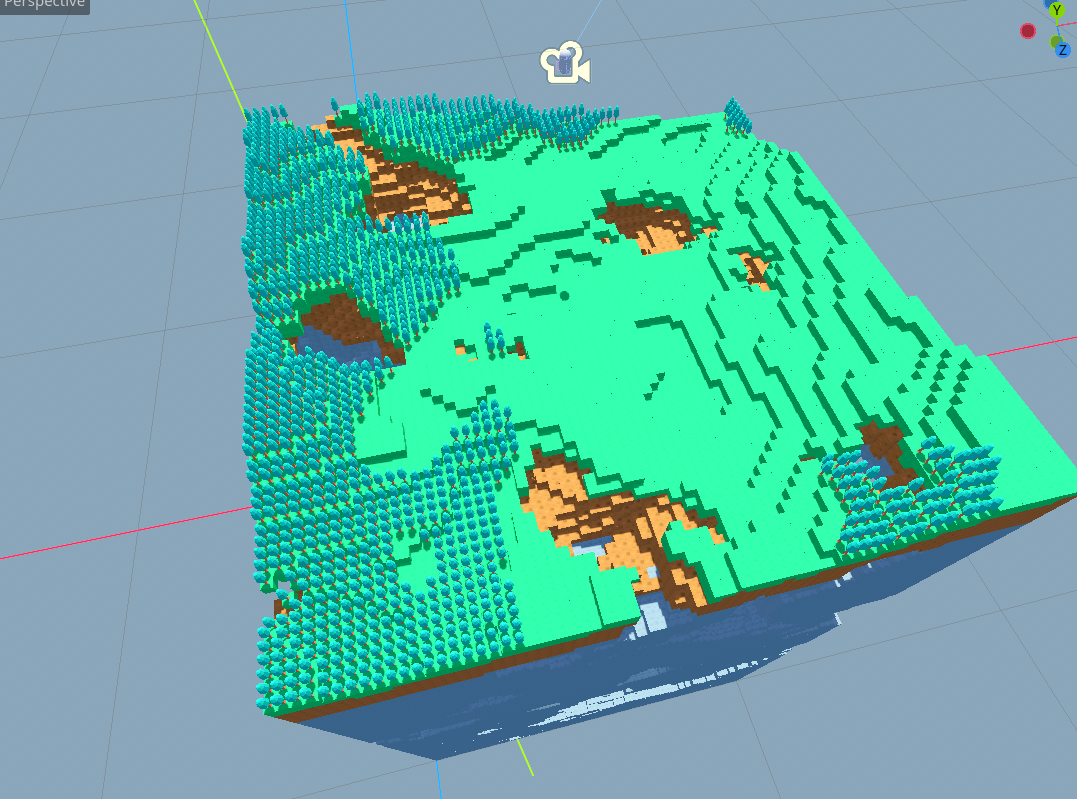
And it also works in 3D!
Adding your own condition
Simply extend AdvancedModifierCondition and replace the is_condition_met function with any logic you want.